
Pudding Budget
A 0→1 personal finance product designed and built to make monthly budgeting feel clearer, faster to maintain, and more approachable than traditional spreadsheet-based tools.
Designed and built a working budgeting product from scratch, including onboarding, budget planning, insights, and AI-assisted statement import flows.
Overview
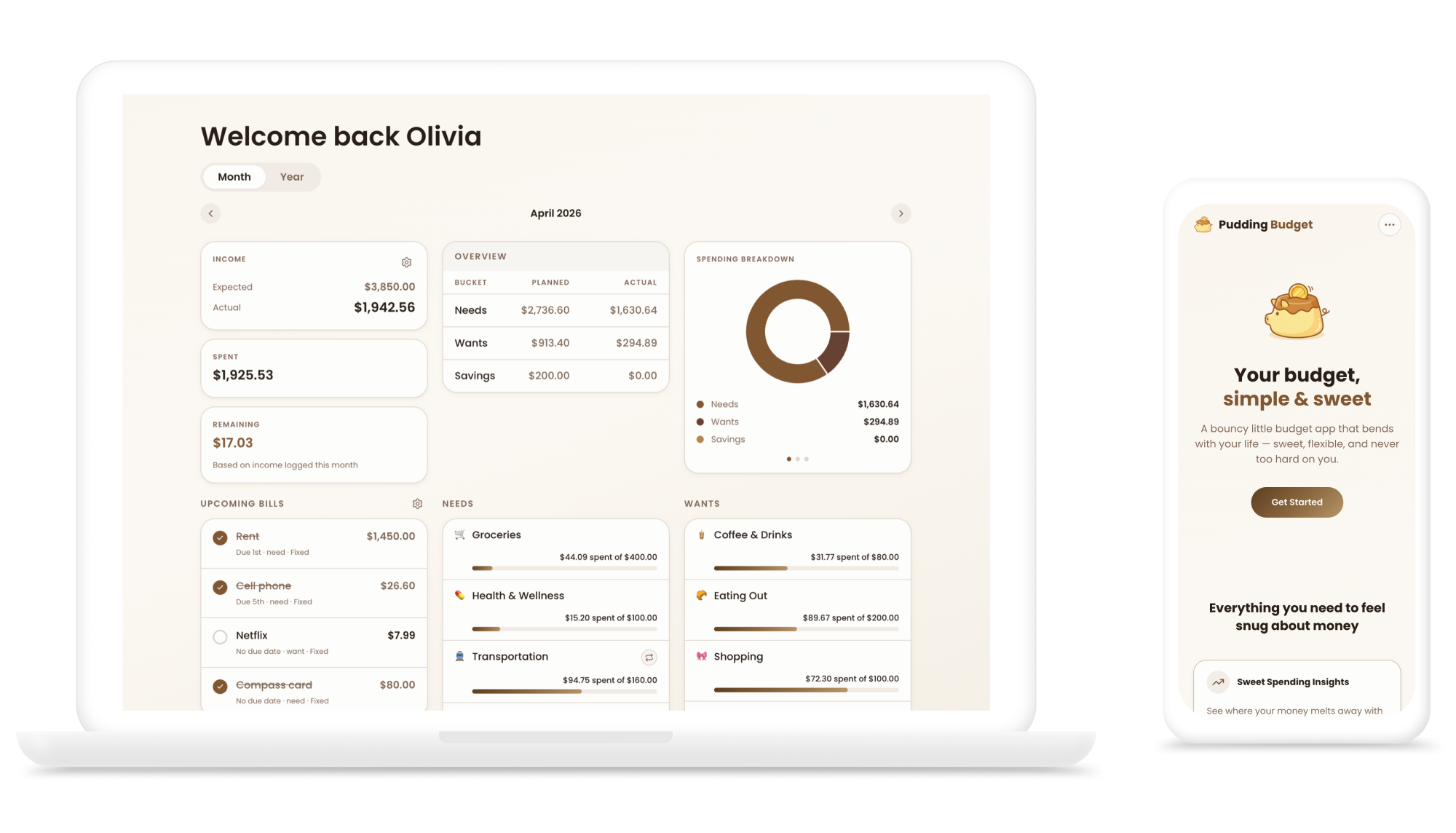
Pudding Budget is a 0→1 personal finance product I designed and built from scratch using an AI-assisted development workflow. The app uses envelope budgeting to help individuals and households plan monthly spending across income, recurring expenses, needs, wants, and savings.
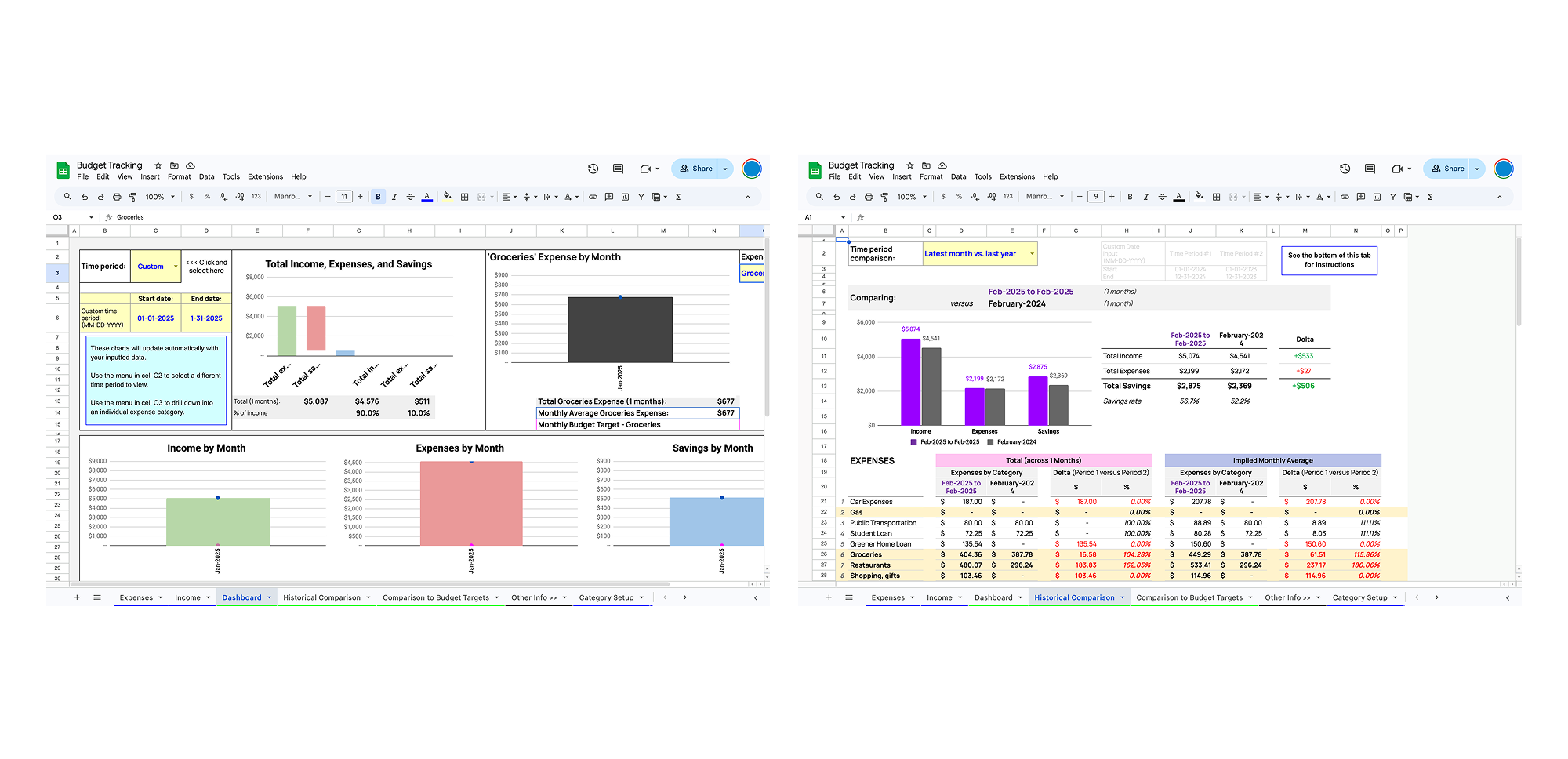
The project started from a personal frustration: I was tired of spreadsheet templates that felt visually cluttered, slow to update, and disconnected from the information I actually wanted to see. I wanted a budgeting tool that could make monthly planning easier to understand, reduce manual transaction logging, and feel more approachable than traditional finance tools.
Why I built it
Budgeting is often treated as a math problem, but for many people it is also an emotional one. People are trying to make decisions under uncertainty: changing income, recurring bills, shared expenses, savings goals, and unexpected spending.
Before Pudding Budget, the budgeting experience I was designing around was often fragmented across spreadsheets, bank apps, notes, and mental math. These tools can track numbers, but they do not always help people understand what to do next.
I wanted to build a budgeting experience that helped users answer:
Can I afford this month?
Am I overspending in certain categories?
How should I split money across needs, wants, and savings?
How do shared household expenses fit into the plan?
How can I log spending without manually entering every transaction?
Product challenge
I focused on three main challenges:
Make budgeting easier to set up Budgeting tools often ask users to define income, categories, recurring expenses, savings goals, and household details before the model fully makes sense. I wanted setup to feel guided instead of heavy.
Make monthly planning easier to adjust Real budgets change. Users need to update categories, understand recurring expenses, compare expected income with actual income, and adjust their plan month to month.
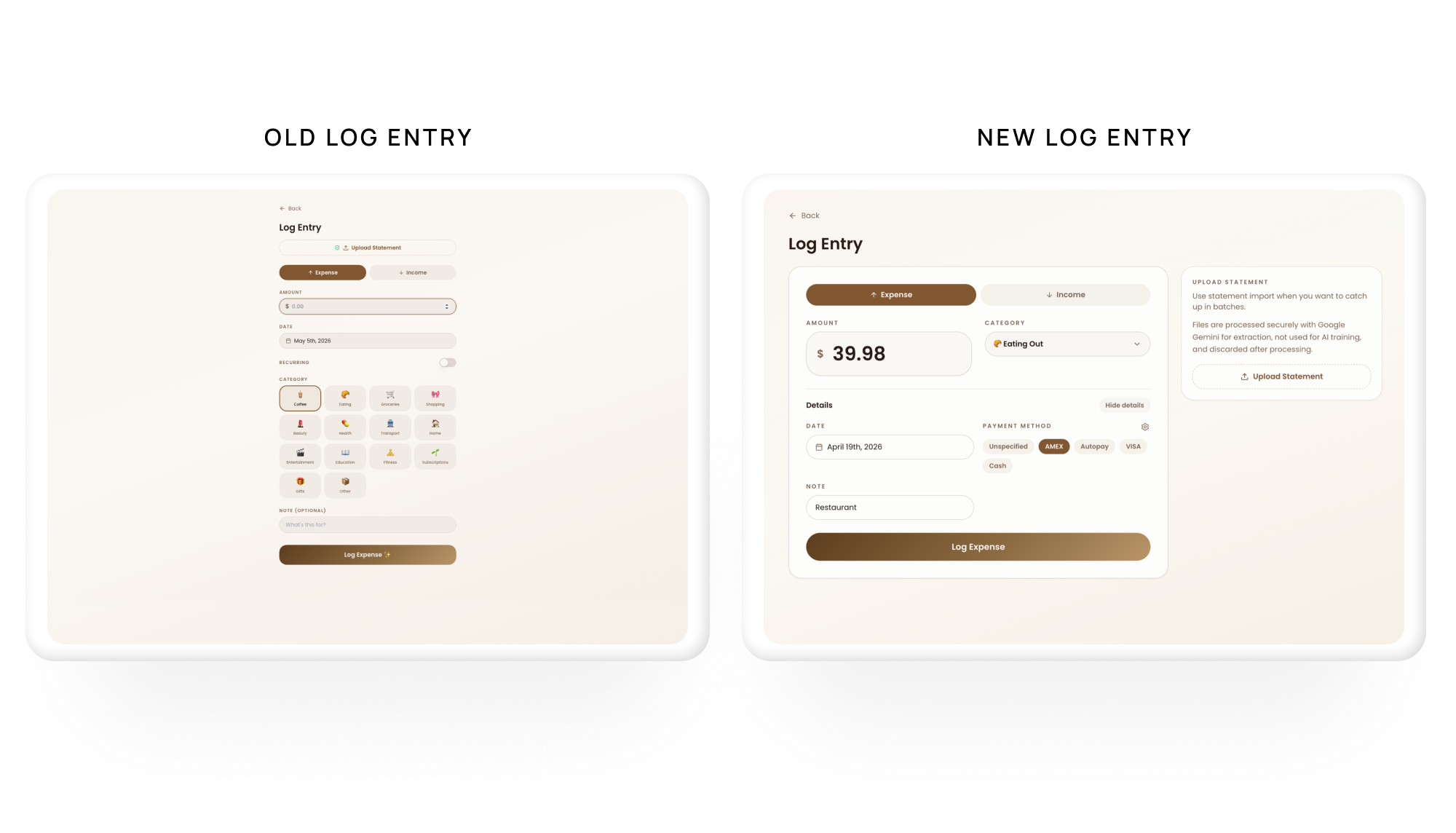
Make transaction logging faster and more trustworthy Manual transaction entry can be time-consuming. I explored how AI-assisted statement import could reduce logging effort while still giving users control through review and correction flows.
What I built
I designed and built a working budgeting experience with several connected product areas:
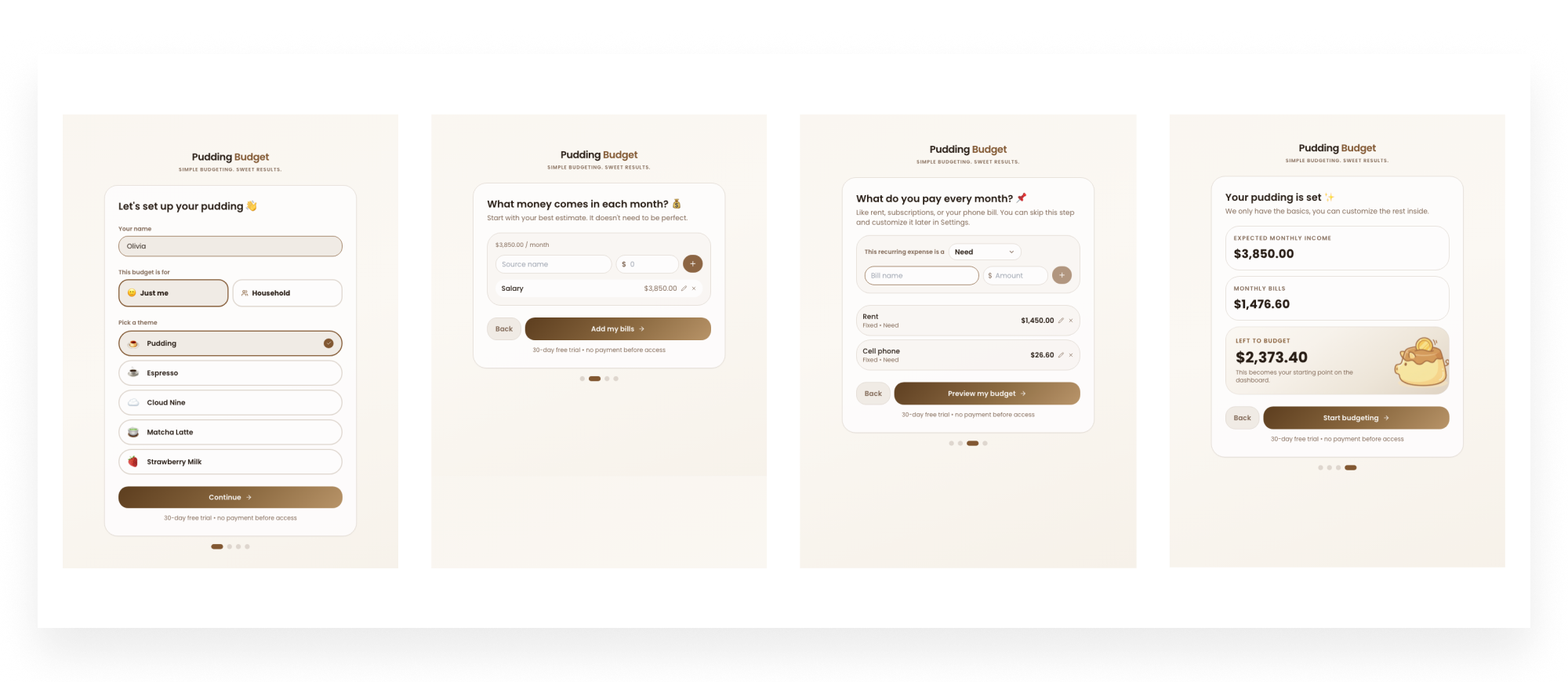
Guided onboarding
A step-based setup flow that introduces the budgeting model gradually: who is budgeting, what income to plan around, what recurring expenses exist, what categories matter, and what savings goals should be included.
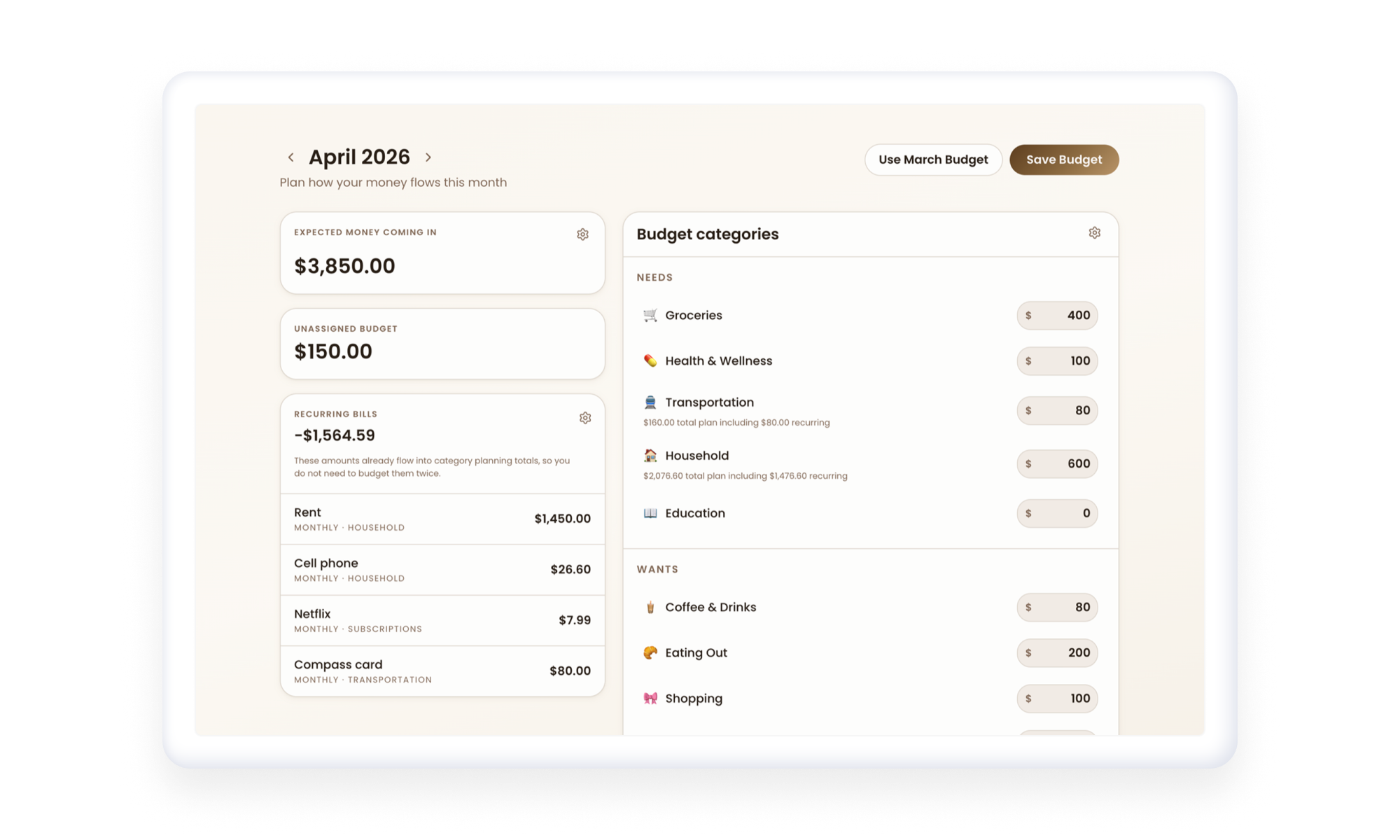
Monthly budget planning
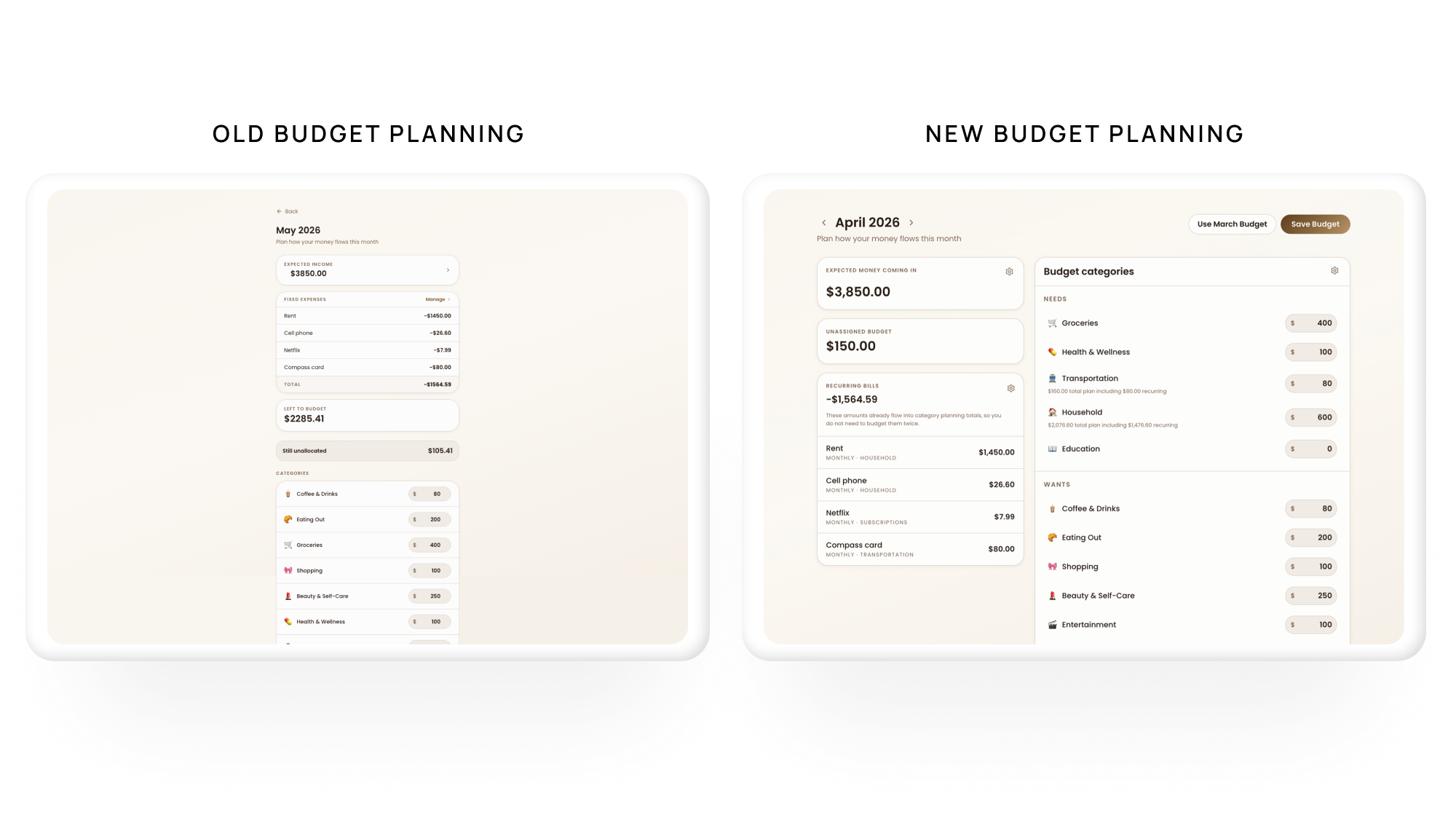
A core budget workspace where users can organize spending across needs, wants, and savings; edit categories; view recurring expenses; and compare expected income with actual logged income.
Insights
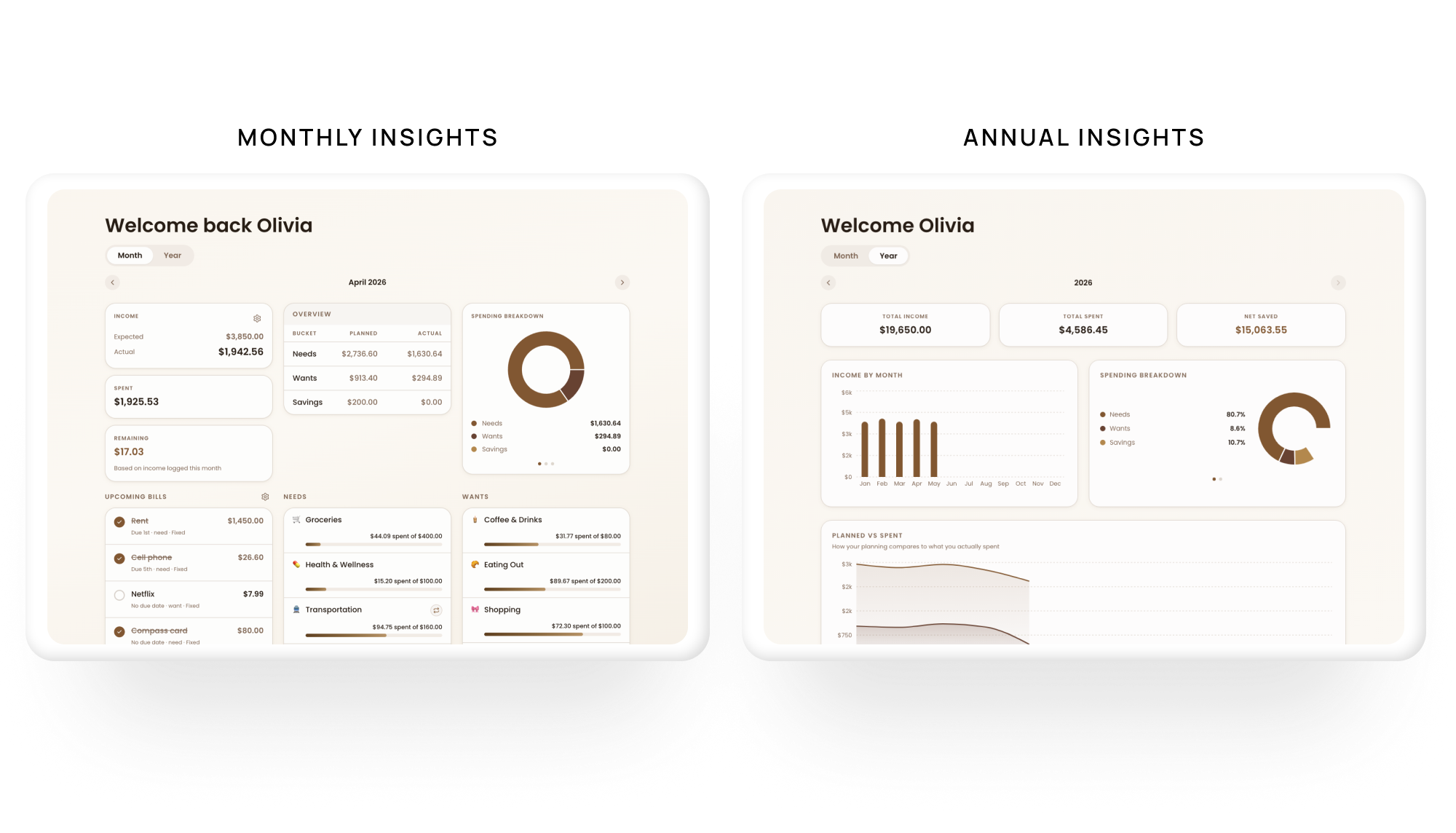
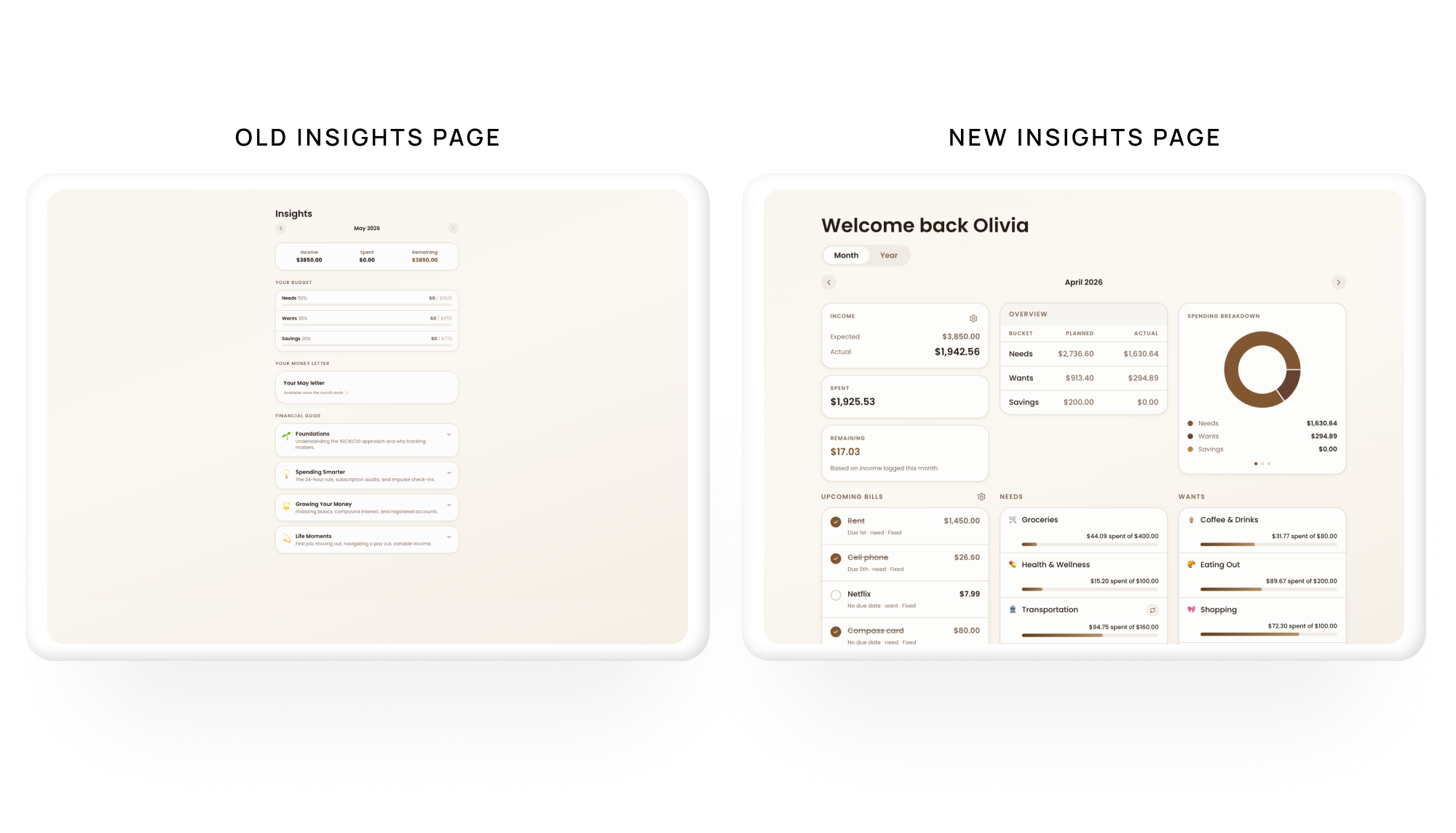
I designed insights to help users answer “How am I doing?” rather than only showing “What happened?” The hierarchy prioritized category performance, savings progress, income tracking, and areas that may need attention next month.
Statement import and review
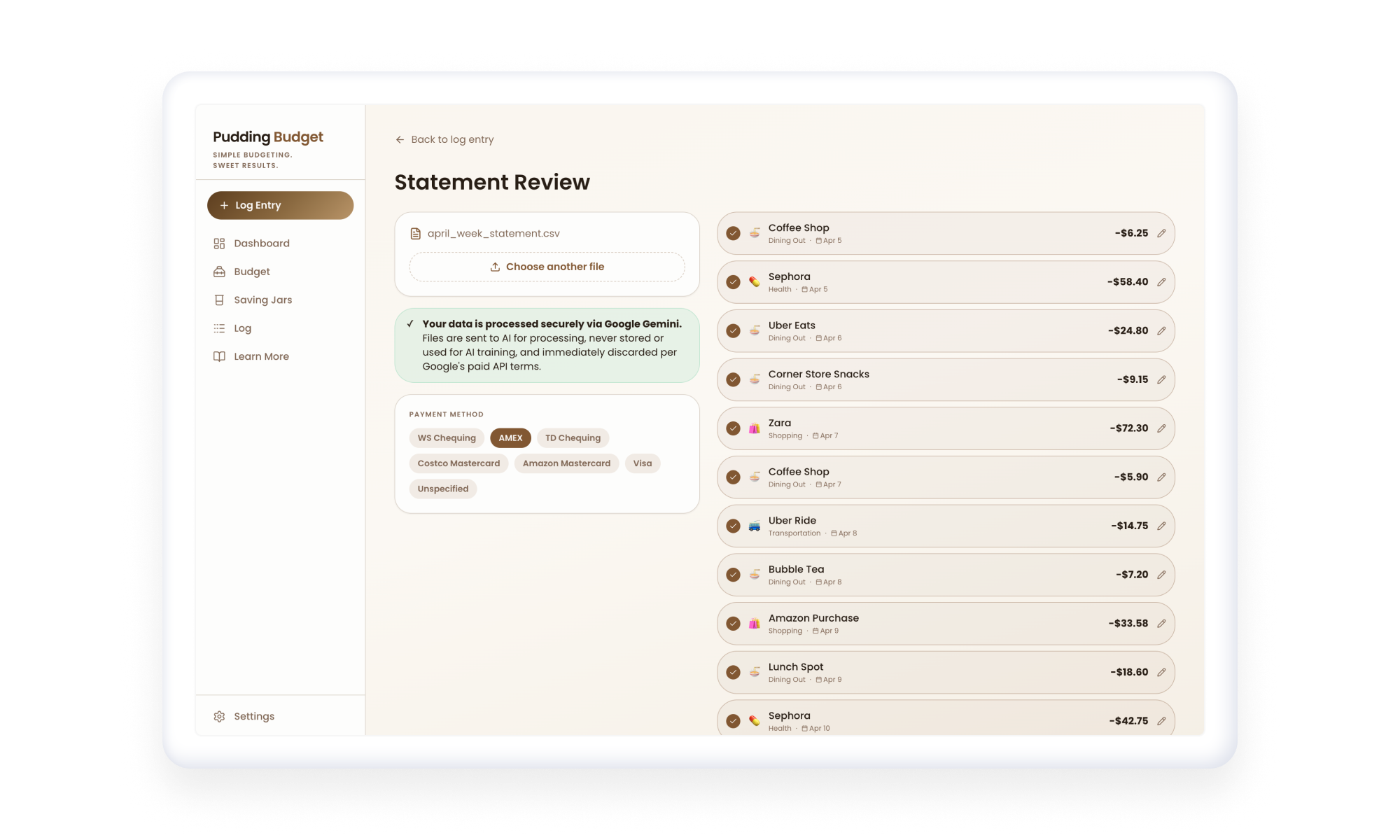
I explored AI-assisted statement import as a way to reduce manual logging. The flow was designed around review and correction, so users could see what was detected, confirm suggestions, and correct transactions before they became part of the budget.
Research and iteration
I conducted two user interviews to pressure-test the product direction: one focused on individual budgeting and one focused on household budgeting.
The feedback revealed opportunities to improve setup clarity, category flexibility, savings visibility, household language, and trust in AI-assisted statement review. I used these findings to refine the onboarding flow, budget workspace, insights hierarchy, and import review experience.
AI-assisted build process
I used an AI-assisted development workflow to move quickly from product ideas into working prototypes. Tools like ChatGPT, Stitch, Claude Code, and Codex helped me explore UX directions, prototype onboarding and budgeting flows, test interface structures, and build interactive product logic earlier in the process.
I did not use AI tools to replace design judgment. I used them to accelerate exploration, then refined the strongest directions through product thinking, user feedback, interaction design principles, and behavioral analytics.
I integrated PostHog, an analytics tool, so I could track where users drop off as more people test the product. This gave me a way to evaluate onboarding and core budgeting flows beyond qualitative feedback, especially around setup completion, statement import, and first budget creation.
Reflection
This project reminded me that budgeting tools are not just data products. They are confidence products. Clarity does not only come from cleaner UI; it comes from aligning the product with how users think about income, expenses, savings, shared money, and month-to-month decisions.
Building Pudding Budget with AI-assisted tools also taught me how important clear communication is when working with generative systems. The quality of the output depended heavily on how specific and structured my prompts were. I learned to break larger product ideas into smaller instructions, define the context more clearly, and be more intentional about the feedback I gave the tools throughout the process.
Next, I would focus next on improving design consistency through a shared component library, creating a more integrated savings goals experience, adding clearer guidance after overspending, and exploring personalized budgeting recommendations.