
Developer Hub MVP
A centralized API documentation hub designed to help developers and customers more easily discover, understand, and integrate with Global Relay’s API offerings.
Led the visual design of a live MVP, extending the emerging design system with responsive, accessible patterns for content-heavy technical documentation.
Overview
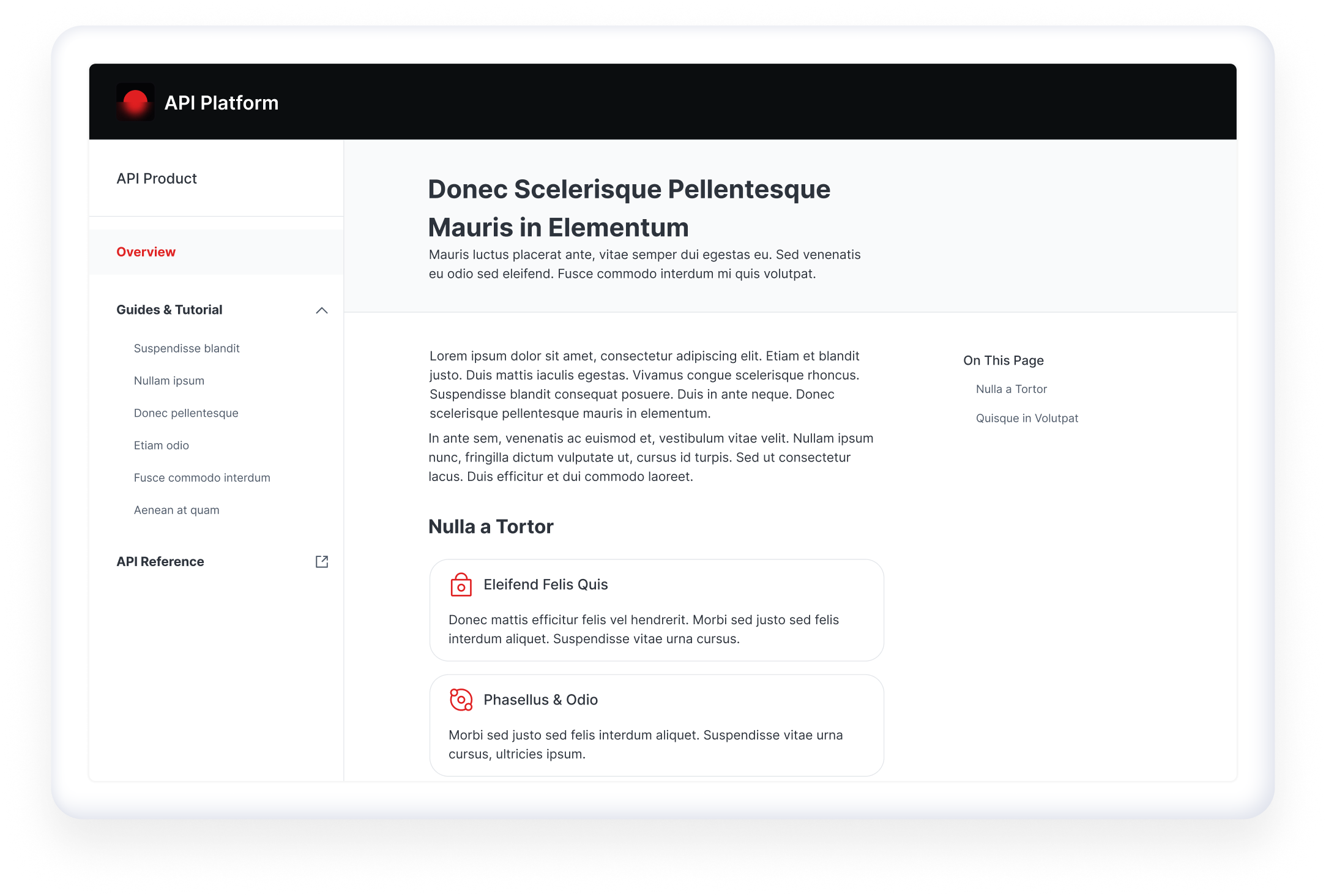
Global Relay enables customers to compliantly archive business communications across any data type or channel. The Developer Hub was created as a centralized resource for Global Relay’s API offerings, bringing together documentation, tutorials, and product information into a more accessible and consistent experience.
I led the visual design for the MVP experience, creating a clean, professional, and accessible interface across desktop and mobile. My work included high-fidelity mockups, responsive layouts, component exploration, and detailed design specifications to support implementation.
The MVP has since been published and is currently live. It is being used primarily as an internal tool, with select external users also able to access it for testing and feedback. As the platform continues to evolve, one of the next planned improvements is the addition of a changelog to help users stay informed about product and documentation updates.
The Problem
Global Relay’s API documentation was previously fragmented, making it difficult for customers, developers, and internal teams to find the information they needed.
Provisioning and Support teams were spending significant time manually helping customers with integrations. At the same time, customers and internal users faced challenges caused by inconsistent documentation, unclear guidance, and limited self-serve resources.
There was an opportunity to create a centralized Developer Hub that could improve access to API documentation, support developer self-service, and reduce the need for manual support over time.
Goals
The main goals of the project were to:
Centralize API documentation, tutorials, and product information
Improve the integration experience for internal and external developers
Support self-serve access to API resources
Reduce dependency on Provisioning and Support teams over time
Create scalable patterns aligned with the new design system
Prioritize accessibility and readability for content-heavy documentation
Users
The Developer Hub needed to support two primary user groups.
Developers needed quick, clear access to documentation and tutorials so they could better understand and integrate with Global Relay API services.
Prospective clients and external stakeholders needed a clearer understanding of Global Relay’s API capabilities, use cases, and business value.
Learning from Competitors and SaaS Leaders
While reviewing competitor experiences, we found that many direct competitors lacked strong API documentation experiences. To broaden our perspective, we looked at established SaaS and developer-focused platforms such as Twilio, Plaid, Slack, Salesforce, Visa, Shopify, Spotify, and Notion.
This research helped identify patterns that would be valuable for the Developer Hub, including fixed side navigation, clear table-of-contents patterns, tutorial-driven content organized around use cases, readable code blocks, card-based layouts, accessible typography, and marketing-style content that explained APIs in the context of customer needs.
These references helped guide the structure, visual direction, and interaction patterns.
UX Direction
For the MVP, the UX team prioritized ease of navigation and information discovery. Because the site would contain a large amount of technical content, the structure needed to help users quickly understand where they were, what content was available, and how to move through documentation efficiently.
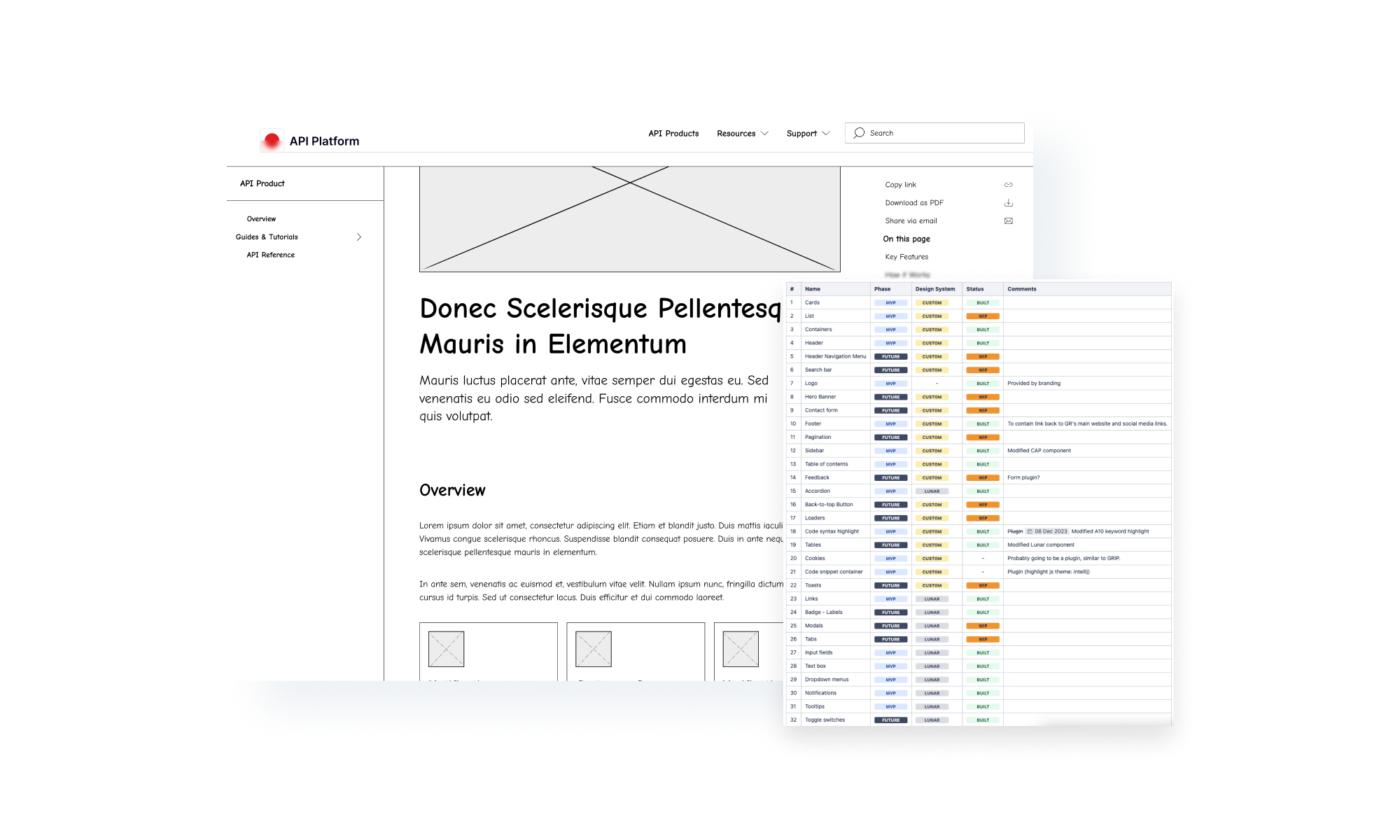
The MVP site map and wireframes helped define the core experience, including documentation pages, tutorial content, API product pages, and supporting navigation patterns. From there, I translated the UX direction into high-fidelity designs and responsive layouts, refining the visual system so the experience felt clear, professional, and accessible across screen sizes.
Component Audit
The project was launched while Global Relay’s new design system was still evolving. Leadership wanted the Developer Hub to reflect the new visual direction, which meant we needed to understand what components already existed and where new patterns were required.
I conducted a component audit to identify available design system elements and determine which components were missing. This helped us make intentional decisions about where to reuse existing atomic elements and where to create new components that still aligned with the system’s principles.
Responsive Design
Responsiveness was an important consideration from the start. We received feedback that developers may reference documentation on secondary devices, including tablets and mobile devices, while working.
Because breakpoints had not yet been fully defined in the design system, I helped establish responsive behaviours for the Developer Hub based on existing visual principles. This ensured the MVP could support content-heavy documentation across desktop, tablet, and mobile experiences.
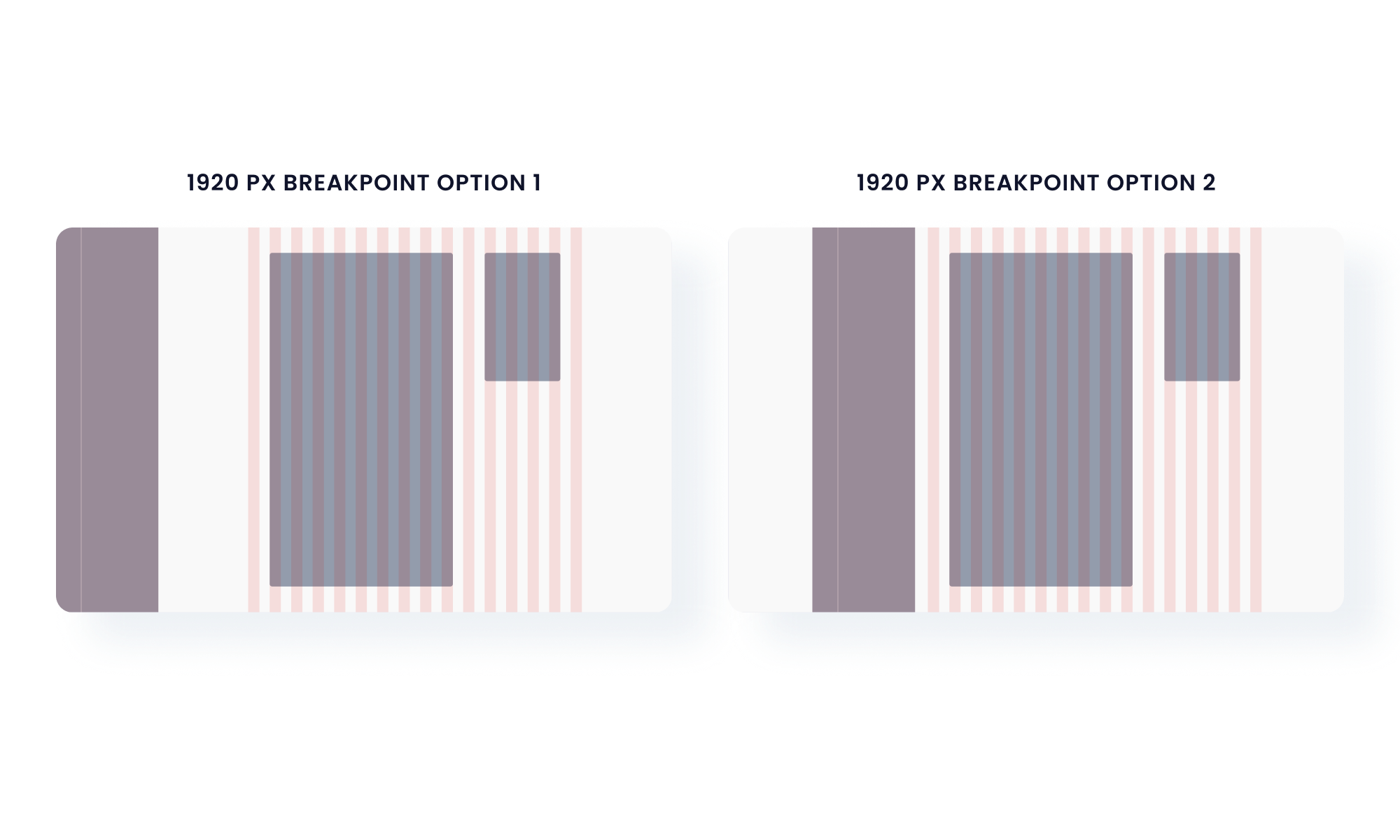
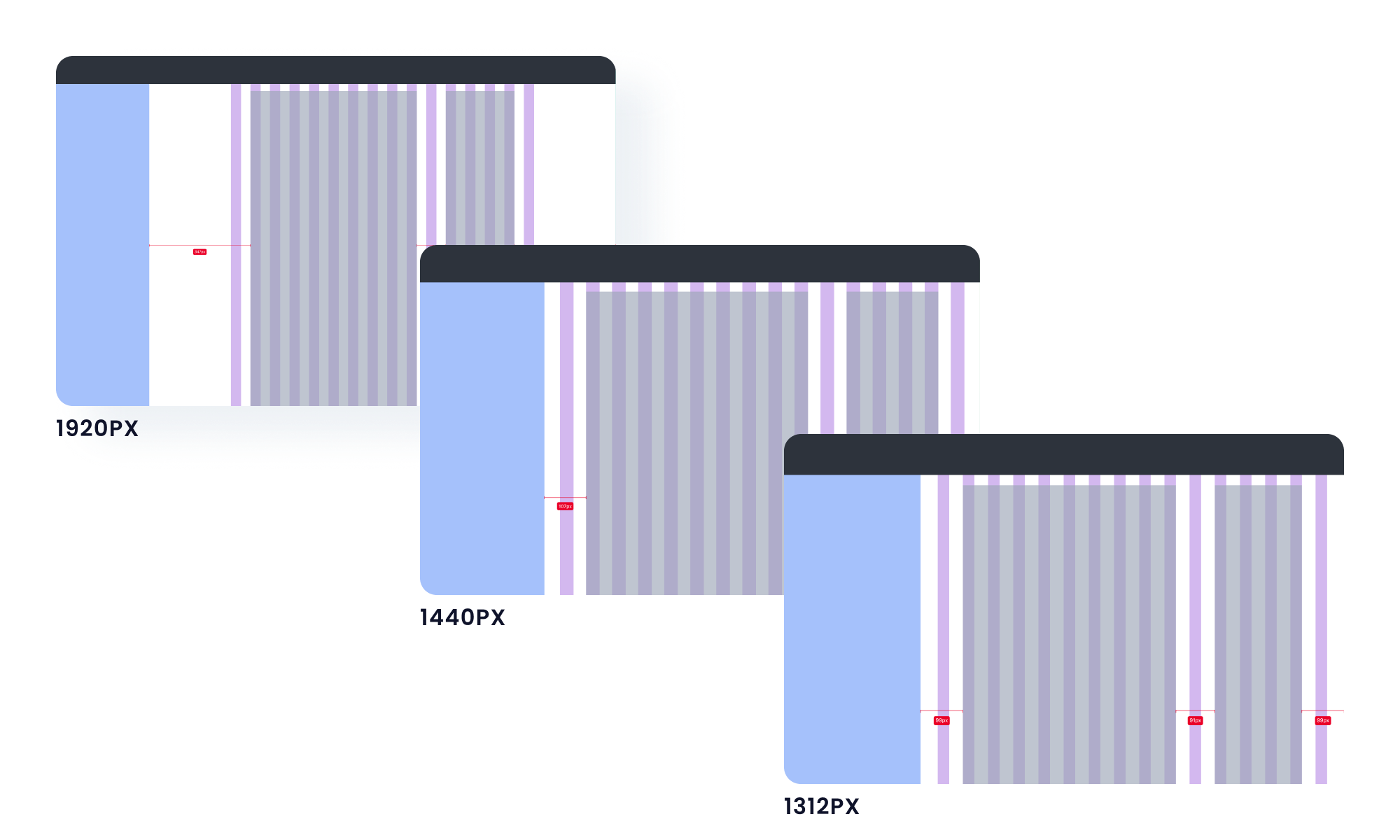
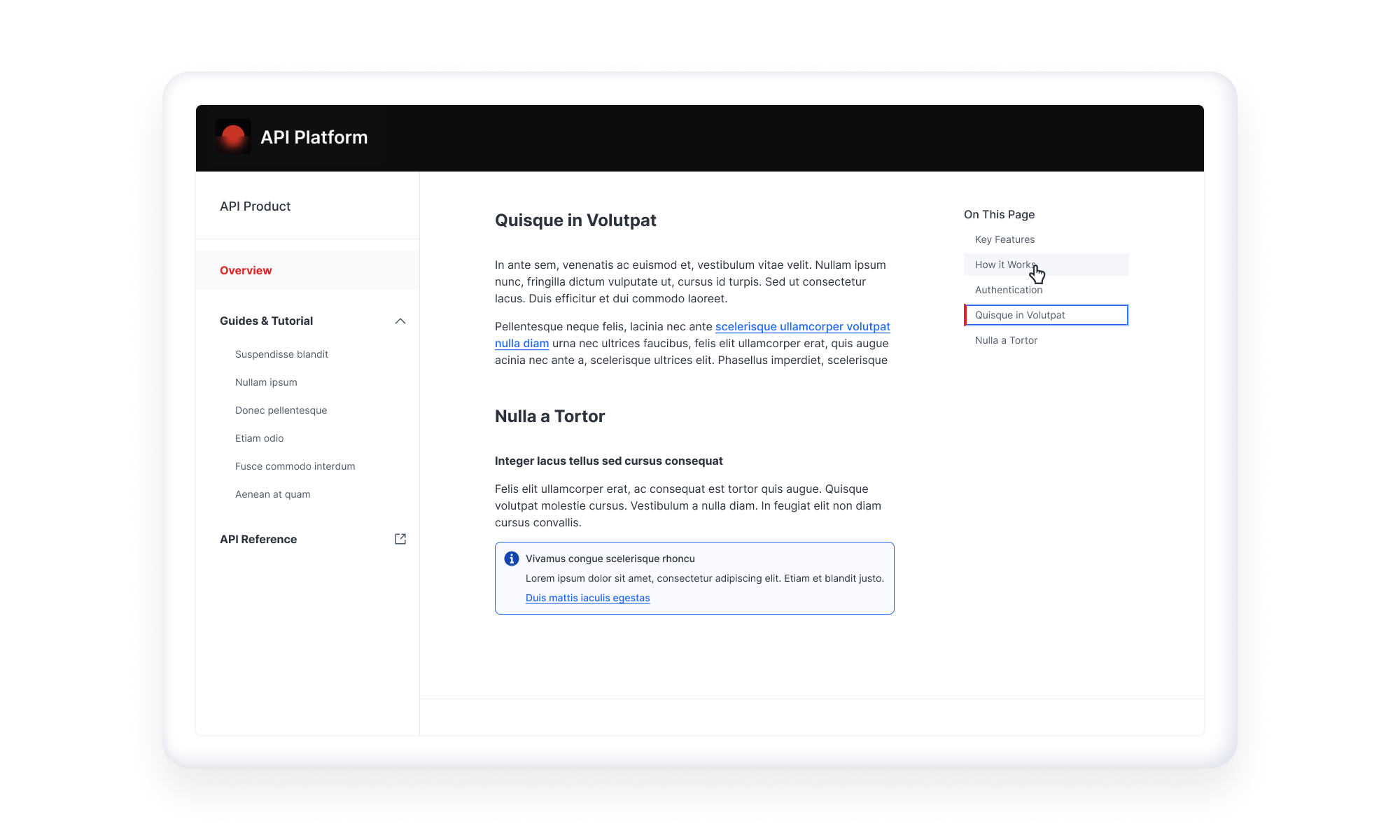
Table of Contents
The table of contents was not part of the original requirements, but it became an important addition as we tested and reviewed the documentation experience.
Because tutorials and API documentation can be lengthy, users needed a way to scan page structure and jump to relevant sections quickly. Adding a table of contents improved wayfinding and made dense content easier to navigate.
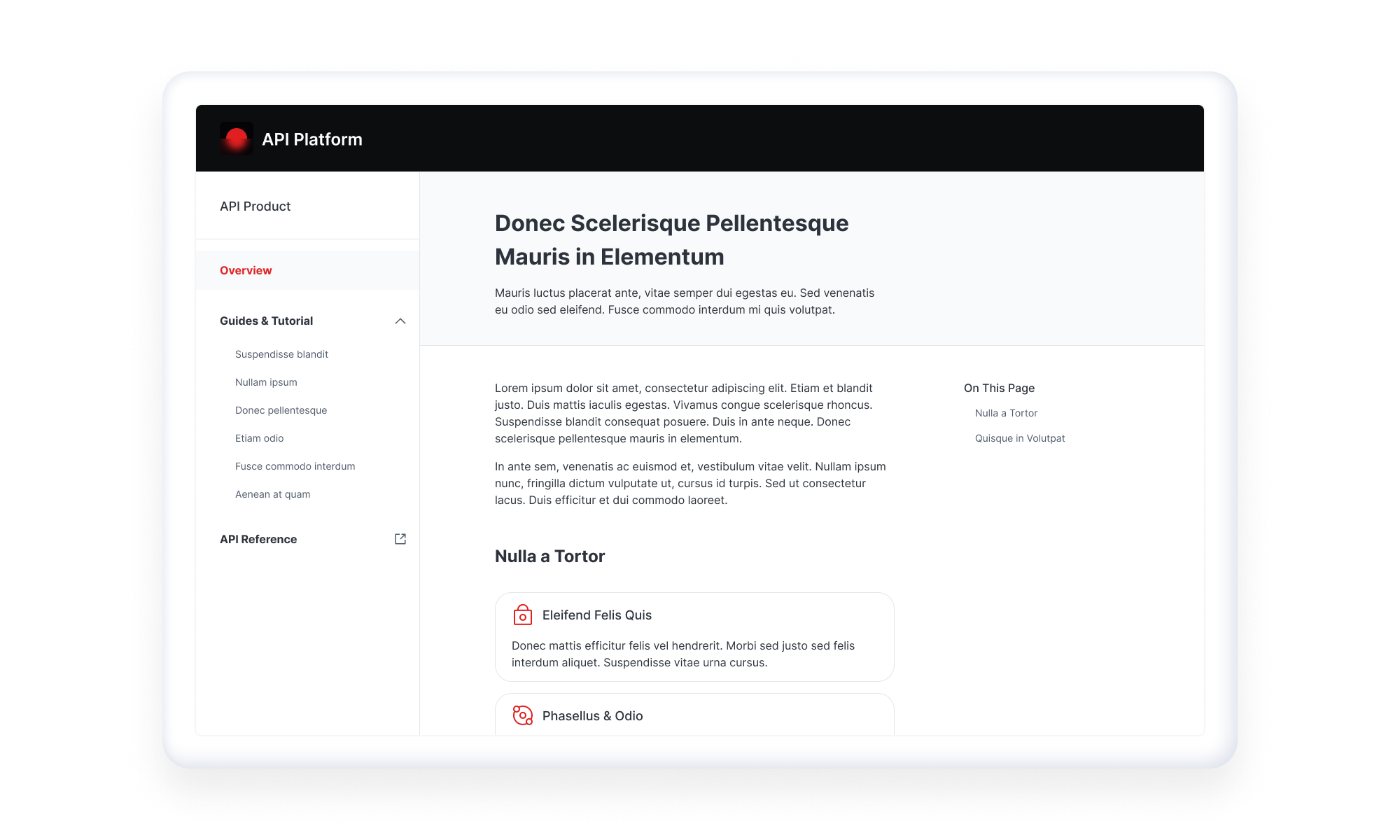
Cards
Cards played an important role in organizing API products, tutorials, and supporting content. I designed the card patterns to prioritize readability, hierarchy, and scannability so users could quickly compare options and understand where to go next.
Code Blocks
Code snippets are a core part of any API documentation experience. I explored colour, typography, spacing, and contrast to improve readability and accessibility within code blocks.
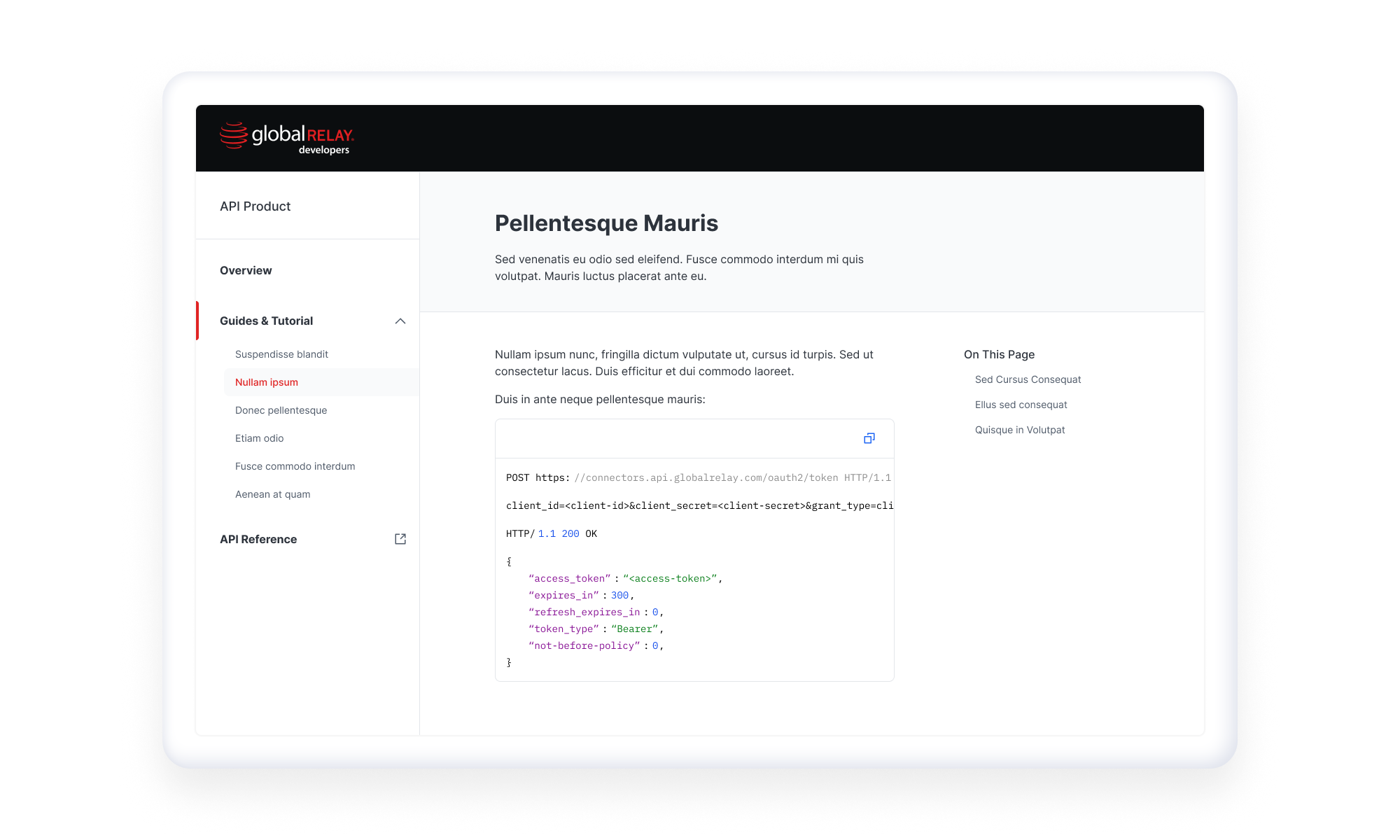
The goal was to make technical content feel approachable while still supporting the precision developers expect from documentation tools.
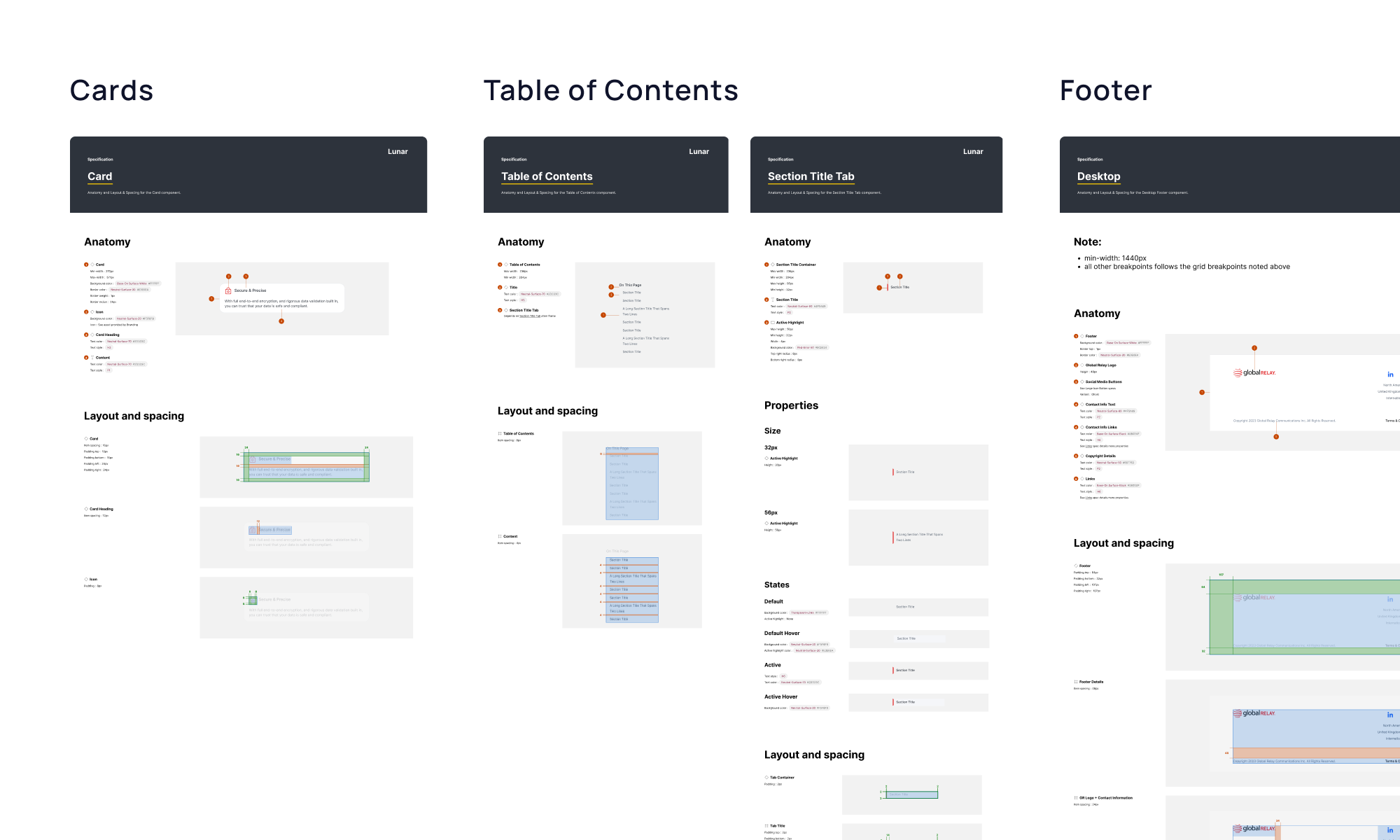
Design Specifications
I created detailed design specifications to support developer handoff and implementation. This included documenting component behaviour, spacing, responsive states, and layout rules.
Because some patterns were new to the design system, the documentation also helped clarify how these components could scale beyond the MVP.
Reflection
This project required balancing MVP delivery with long-term scalability. Because the design system was still evolving, I had to make decisions that supported the immediate needs of the Developer Hub while also staying aligned with broader product design principles.
One of the biggest challenges was designing for dense technical content in a way that felt clear, accessible, and easy to navigate. Through component audits, responsive exploration, and close collaboration with cross-functional teams, we were able to create a more structured and scalable experience for API documentation.
Future improvements may include adding a changelog so users can track API and documentation updates, gathering usage data from internal and external users, identifying where users need additional guidance, expanding documentation and tutorial coverage, and continuing to refine components as the design system matures.